
It runs the program’s own uninstaller, then finds what it left behind (folders, registry keys, services, scheduled tasks) and backs everything up before deleting it.
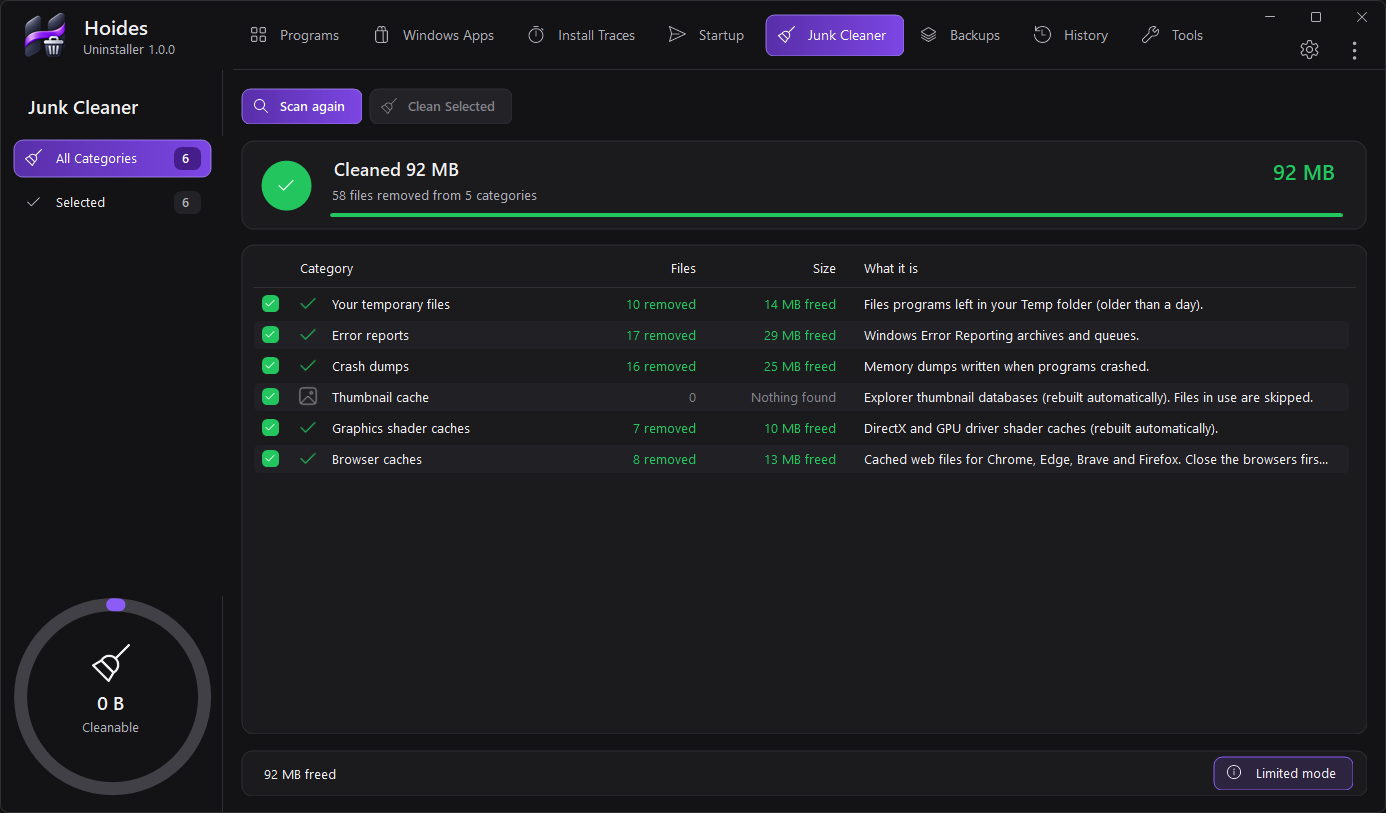
Programs, Windows apps, startup entries, junk and browser extensions in one window.
Analyse the program, optionally make a restore point, run its own uninstaller (silently when supported), scan for leftovers, then review and delete.
Safe, Standard or Deep. Registry keys, services, tasks, firewall rules, file types, COM classes, folders and shortcuts, each with the reason it was found.
Select several programs and they are removed one after another, with high-confidence leftovers cleaned automatically and backed up.
For programs that are broken, half-removed or missing from the list. Point it at a name, a folder, an .exe or a shortcut.
Drag a small target onto any window to uninstall, close or locate the program that owns it.
Record an installation by comparing before-and-after snapshots, so a traced program can later be removed completely.
Remove Store and built-in apps with readable names, and enable, disable or delete startup entries the way Task Manager does.
Temp files, crash dumps, caches and the Recycle Bin, plus Windows and browser tracks. Passwords and bookmarks are never touched.
Overwrite files or free space so they can’t be recovered, and list and remove browser extensions across Chrome, Edge, Brave, Vivaldi, Opera and Firefox.
Leftover cleaners can do real damage. Hoides Uninstaller is built around rules that keep Windows and your other programs safe, and an undo for everything it removes.
The installer adds a Start Menu entry and, optionally, “Uninstall with Hoides” to File Explorer’s right-click menu.
It opens without a prompt in Limited mode. When an action needs administrator rights, such as uninstalling a program installed for all users, it explains why and asks first.
Yes. Every cleanup is backed up first (a .reg file plus scheduled-task XML) and can be restored in one click from Backups.
The app is not yet code-signed, so SmartScreen may show “Windows protected your PC”: choose More info → Run anyway. Behaviour-based antivirus can flag any tool that removes services and registry keys; restore it from quarantine and add an exception.
In %LOCALAPPDATA%\Hoides Uninstaller. The portable exe can keep it in a folder next to itself instead.
Install it, or carry the 758 KB portable copy on a USB stick.
Download installer
 Matte
 Downloader
 Streamer
 TV
 Filter